Candidate messaging & interviews
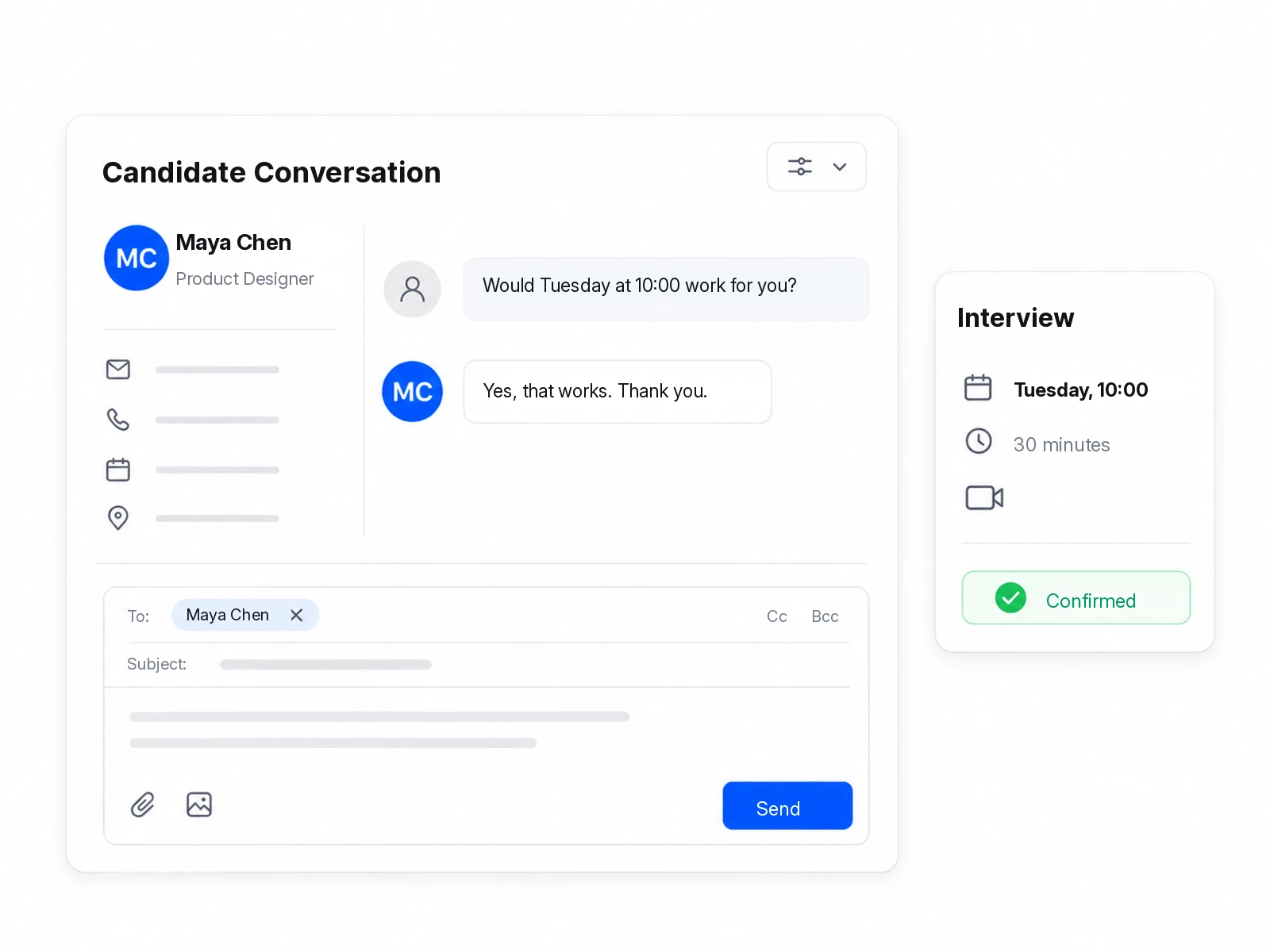
Keep candidate email conversations beside their application, send interview details, and make it easy for candidates to respond.
Candidate messaging & interviews
Keep candidate email conversations beside their application, send interview details, and make it easy for candidates to respond.
- Keep conversations together
- Send clear interview details
- Know when candidates respond
Everything you need to keep hiring moving
From first reply to interview, keep everyone in the loop.
Keep candidate email conversations beside their application, send interview details, and make it easy for candidates to respond.
No. Calendar invitations work without a candidate account connection. Google Calendar sync is available from Team when configured. Messaging needs configured email services and has plan allowances. Candidates request another time rather than book a new slot themselves.
Keep conversations together
Use a shared inbox for outbound email and incoming replies, with attachments and candidate context close at hand.
Send clear interview details
Set the time, timezone, format, and interviewers. Reuse invitation templates and include a calendar invitation.
Know when candidates respond
Candidates can confirm, decline, or request another time. Your team can update details, reschedule, or cancel.
More ways to use Talent
See how Talent fits your hiring process
Explore your next hiring workflow with us, from the first application to the next interview.